In this article, we are going to see how to display breadcrumb navigation links in WordPress using Rank Math plugin. You can use any plugin whichever you want. Basically, Breadcrumbs navigations tell you that where are you at the website in regards to the home page of the website. So let’s see the steps involved in using this via plugins(Rank Math)
Steps to Display Breadcrumb Navigation Links in WordPress
1 Login to your WordPress dashboard. (https://yourdomain.com/wp-admin)
2 Go to Plugins.
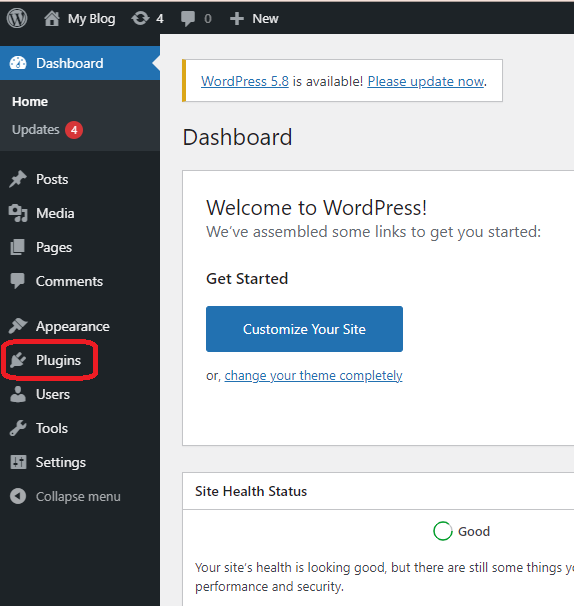
3 Click “Add New“, search for “Rank Math“, Install and click on the “Activate” button.
4 Go to Rank Math –> General Settings –> Breadcrumbs
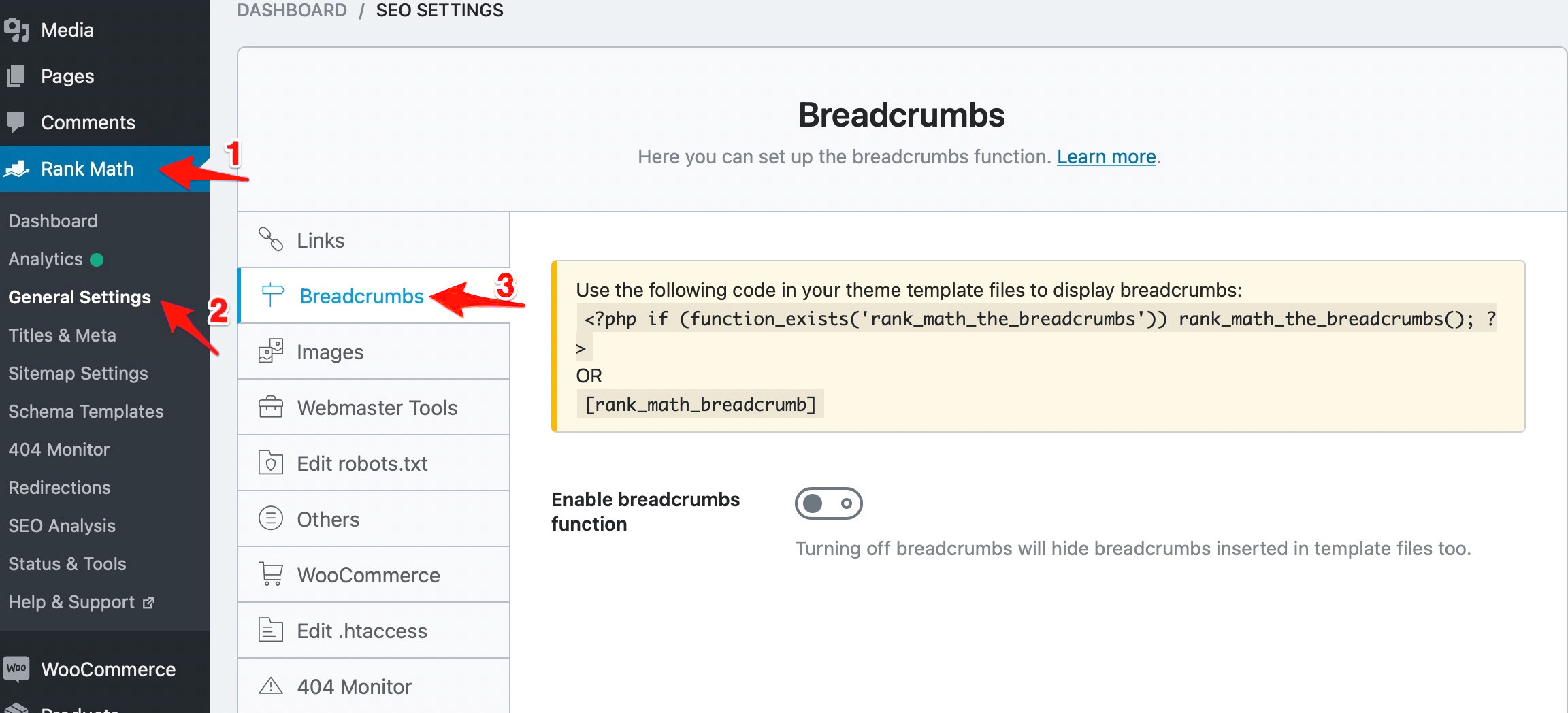
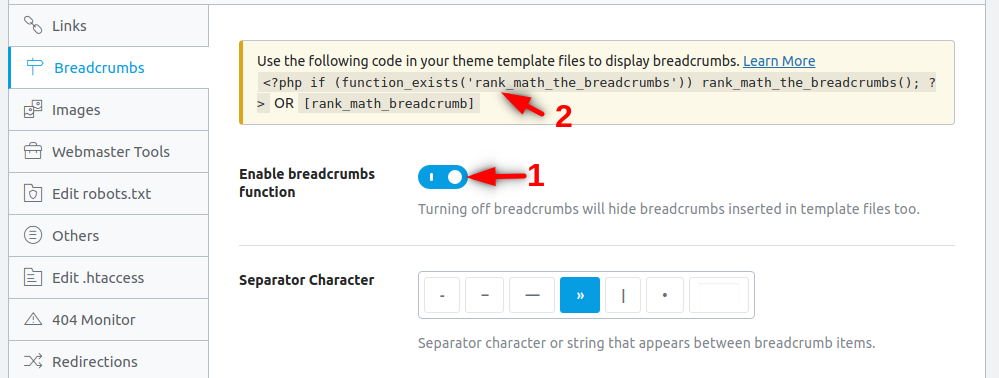
5 Just click on enable breadcrumbs function and copy the Breadcrumbs code
6 Open Appearance –> Elements
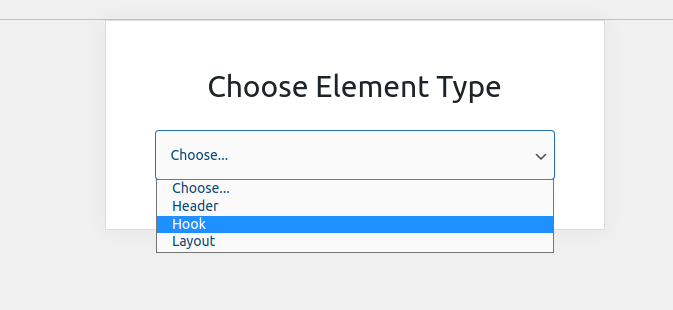
7 Click Add New –> Choose Element Type as Hook
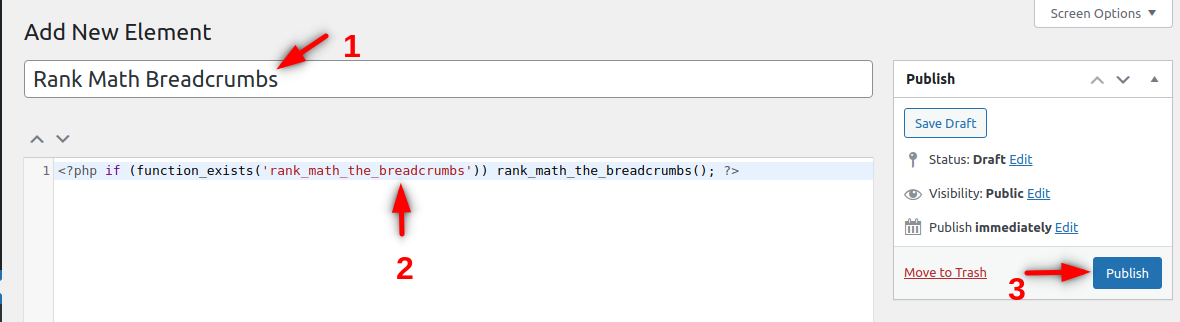
7 Give a related name the Hook and paste the code below as shown.
<?php if (function_exists('rank_math_the_breadcrumbs')) rank_math_the_breadcrumbs(); ?>
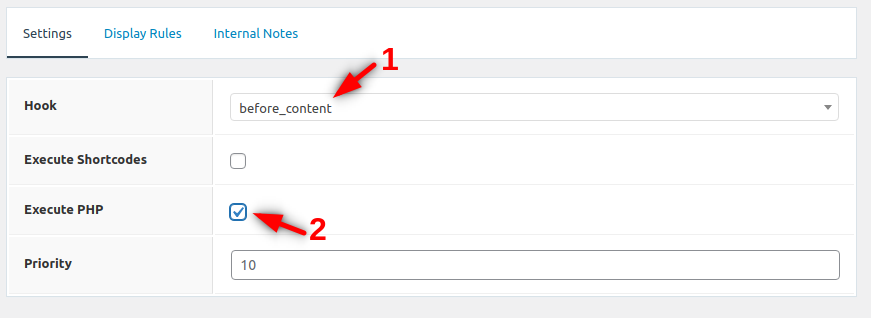
8 Scroll down to Hook Settings, choose Hook to be displayed before_content and select Execute PHP.
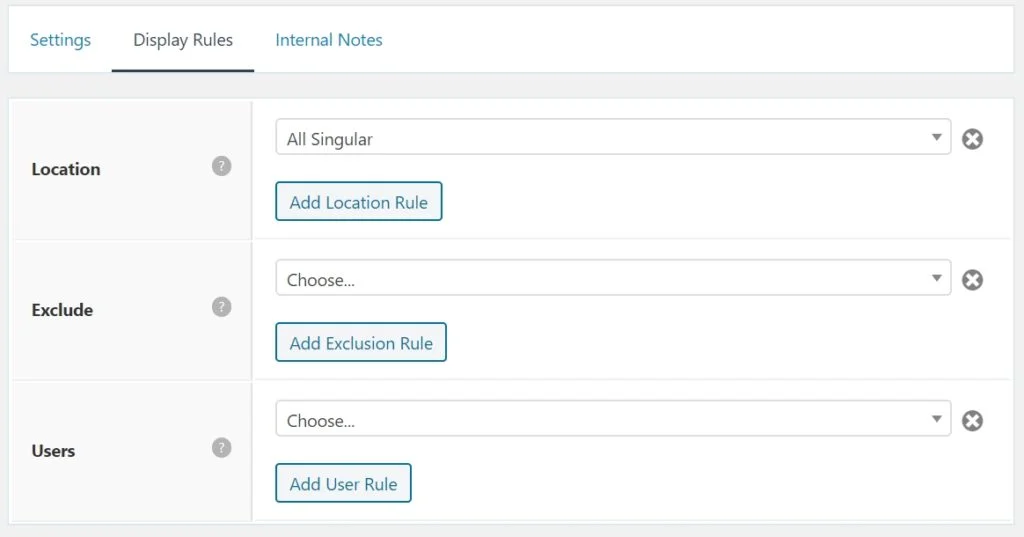
9 Go to Display Rules and choose Location to be displayed in All Singular and click Publish Button.